Astro
Where to put content
Orbit’s rule is simple: edit the words and the data — not the design. A site is Orbitable when its words live in content files and its design lives in code.
Astro lets a site keep its words in many places. Orbit edits the ones that are files in your repository, so editors can change them through a form. This page lists every place Astro sites keep content, whether Orbit edits it, and what to do when it doesn’t — in short, how to make your site Orbitable.
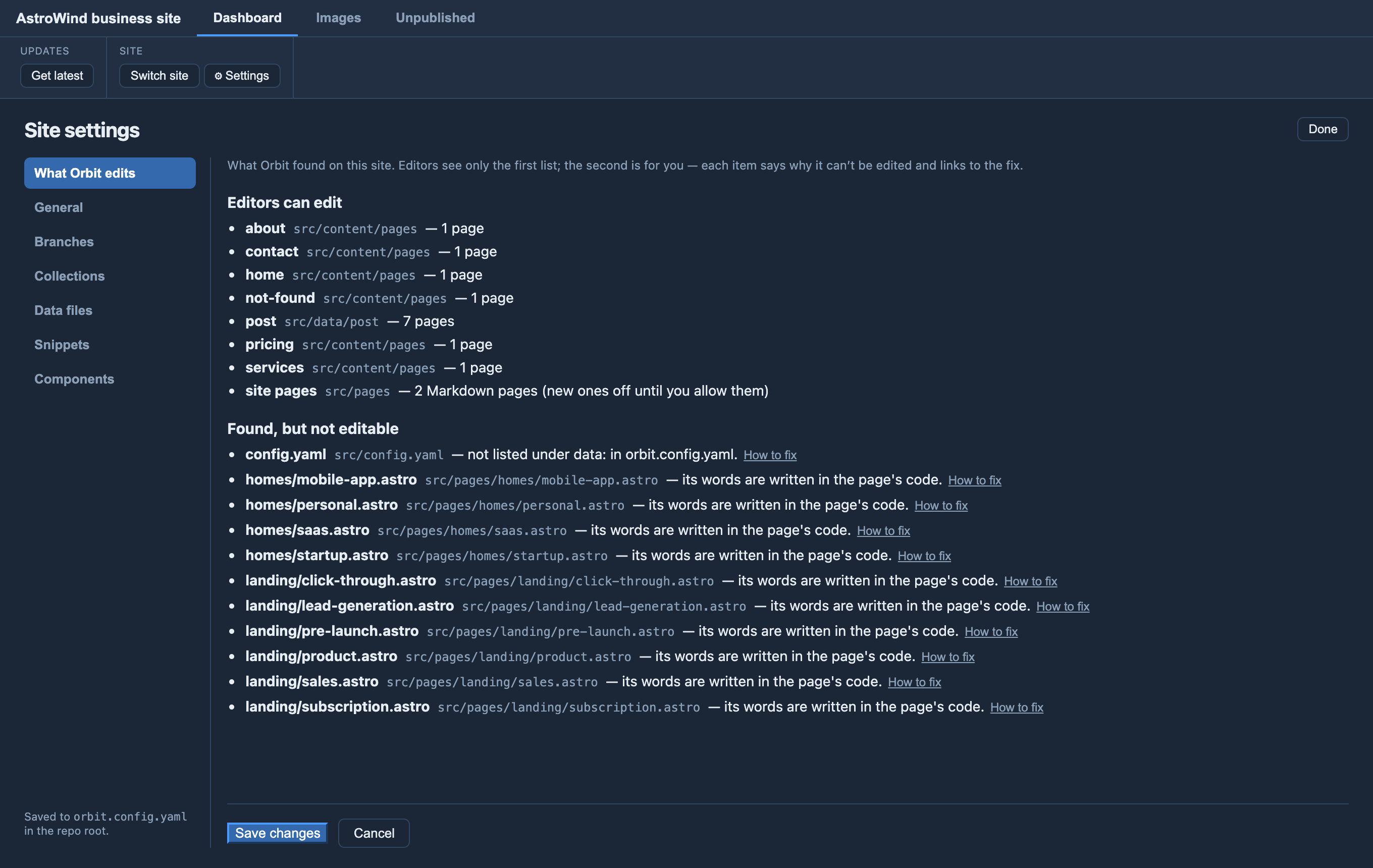
To see this for a real site, open it in Orbit and go to Site settings ▸ What Orbit edits (developers only). It lists what editors can edit, and everything Orbit found but can’t edit, with a link to the fix.
At a glance
| Where the words live | Orbit |
|---|---|
Content collections (glob() over Markdown/MDX), anywhere in the site |
✅ Each is a section |
Older collections in src/content/<name>/ (Astro 2–4) |
✅ Each is a section |
Markdown pages in src/pages/ (about.md, privacy.mdx) |
✅ The site pages section |
A file() collection (one JSON or YAML file of entries) |
✅ Under Data |
JSON or YAML data files you list in orbit.config.yaml |
✅ Under Data |
A collection of JSON/YAML entry files (glob() over *.json) |
❌ Not yet — see Data |
Words written in .astro pages and components |
❌ Move them into content — see Pages built from components |
Data written as code (src/data/nav.ts) |
❌ Move it to JSON — see Data |
| Custom or remote loaders (a headless CMS, an API) | ❌ The content isn’t in the repo — see Loaders |
Pages and posts
Use a content collection with a glob() loader. It can live anywhere in the
site — src/content/blog, src/data/post, anything — and Orbit finds it from your
content.config.ts, downloads it, and publishes changes to it.
const blog = defineCollection({
  loader: glob({ pattern: '**/*.{md,mdx}', base: './src/content/blog' }),
  schema: z.object({ title: z.string(), date: z.date() }),
});
The schema becomes the editor’s form: required fields, dropdowns for enums, date pickers, image pickers, lists.
Markdown pages in src/pages/ work too, with no setup: they appear as a
site pages section. They have no schema, so editors see each page’s own fields
as they are. Editors can’t create new site pages until you allow it
(collections: { "site pages": { canAdd: true } } in orbit.config.yaml), because
a new file there becomes a live address.
Pages built from components
If a page’s words are written as props in an .astro file, Orbit can’t edit them,
and won’t rewrite your code. Move the words into a content entry and have the page
read it: see Making component pages editable. The
design stays in code; the words become a form.
Data
Navigation, footers, team lists, prices — data rather than pages:
- A JSON or YAML file: list it under
data:inorbit.config.yamland it gets a form under Data. See Editable data files. YAML keeps its comments when saved. - A
file()collection (file('src/data/team.yaml')) is added under Data automatically. - Data written as code (
src/data/nav.ts): move the values to JSON and import it from the.ts, so editors edit the JSON. - A collection of separate JSON/YAML entry files (
glob()over*.json) isn’t editable yet. If it’s small, a singlefile()collection does the same job and is editable today.
Loaders
A collection with a custom loader — one from your own code, a package, or a
headless CMS — gets its entries from wherever that loader says, often outside the
repository. Orbit can’t tell where they are, so it can’t edit them. If the content
lives in the repo, use a glob() or file() loader for it; if it lives in a CMS,
edit it there.
Live collections (src/live.config.ts) fetch data when the page is requested,
so there’s nothing in the repository to edit.
Images
Keep images in your assets folder (default src/assets, set with assetsDir: in
orbit.config.yaml). Editors browse and upload there, and Orbit writes the right
reference. See Images & snippets.