Publishing · Branches & publishing
Publishing a page
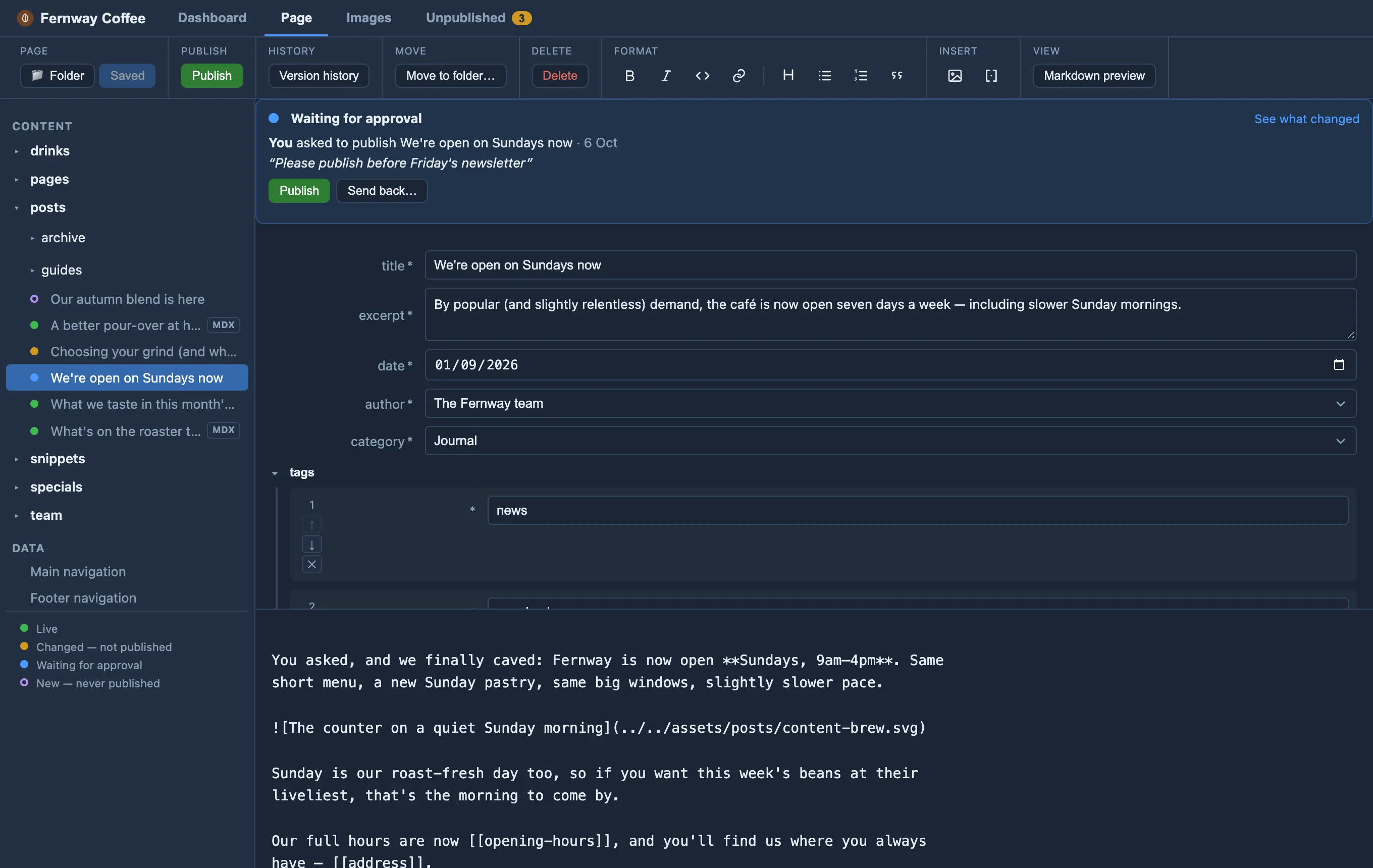
On the page (the Publish group on the Page tab, or the banner above the form):
- Approvers click Publish, confirm, and it’s live.
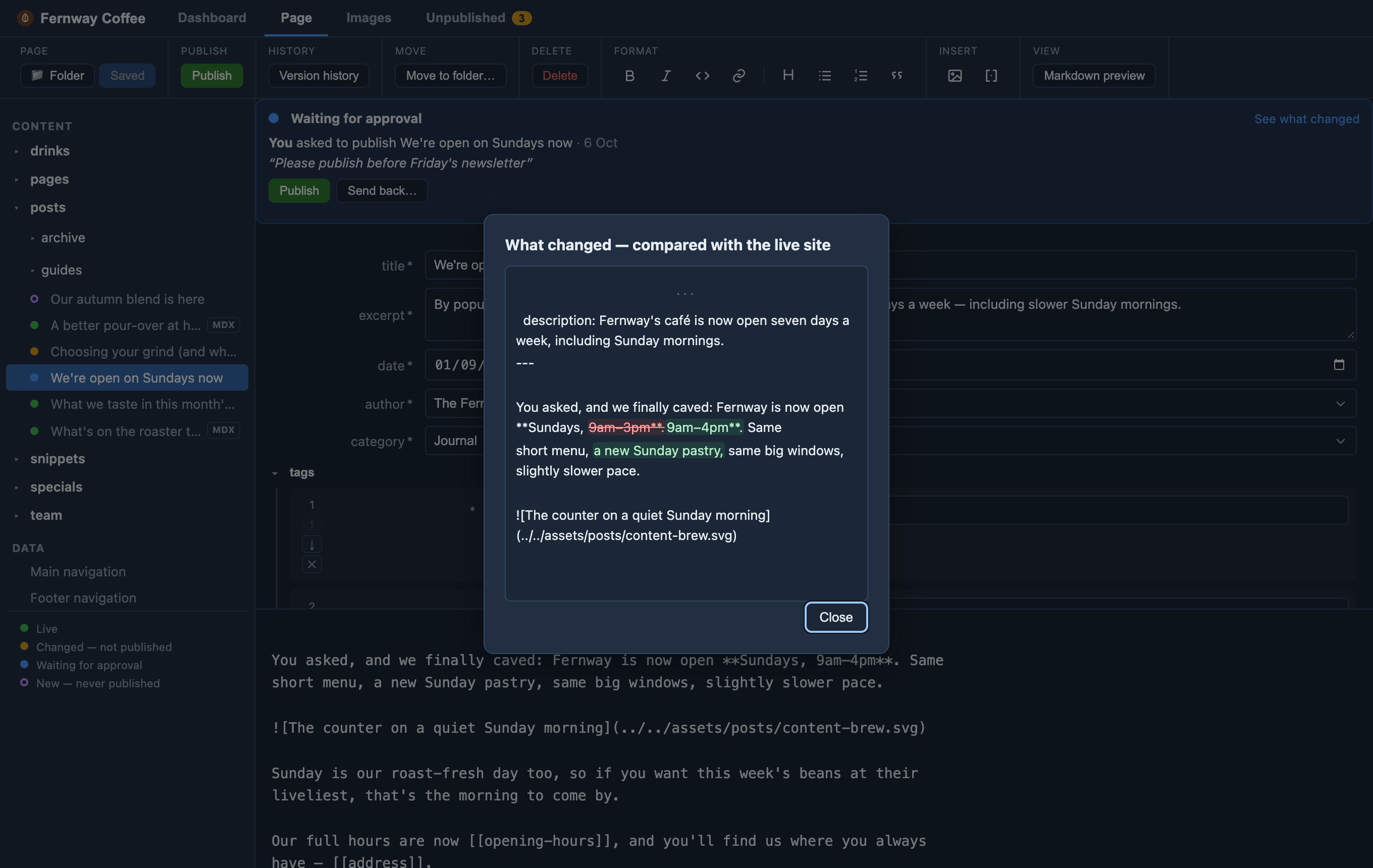
- Editors click Ask to publish and can add a note (“Please publish before Friday’s newsletter”). The page turns blue — Waiting for approval — for everyone. An approver sees the request, checks What changed (the edits compared with the live site, as track changes), and clicks Publish — or Send back with a reason, which the editor sees on the page. Editors can withdraw their own request while it’s waiting.
Who’s an approver is decided on GitHub: protect the live branch and put your approvers on its bypass list. See Setting up your GitHub repository.
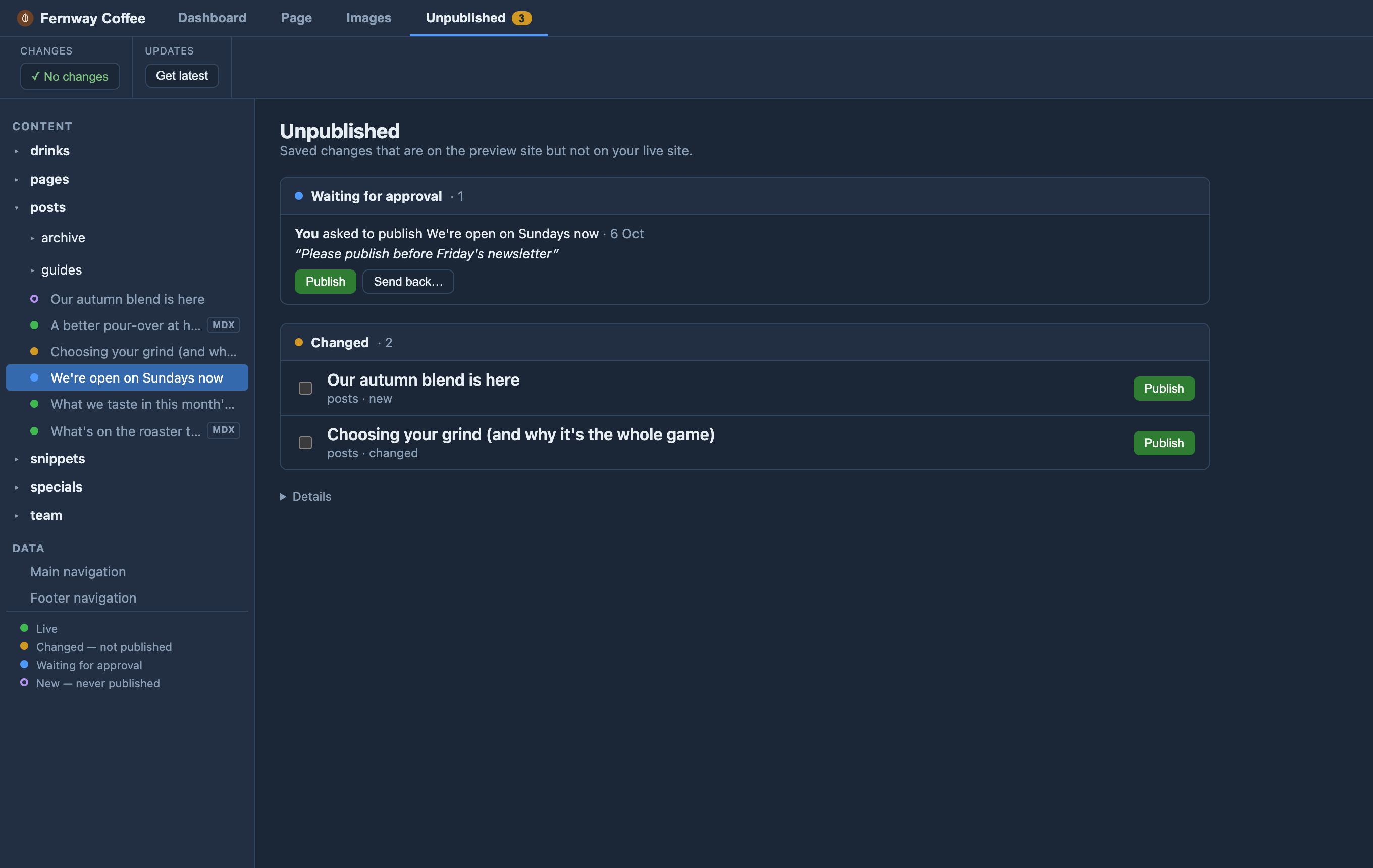
Unpublished
The Unpublished tab (with a count) lists everything saved that isn’t live: first the requests waiting for approval, then the other changed pages — including pages that were moved, added or deleted. Tick several and publish (or ask to publish) them together, so a new page and the navigation change that links to it go live at the same moment. Click a page’s title to open it.