Configuration
orbit.config.yaml
An optional developer-authored file at the repo root that overlays your Astro
config. Every section is optional — a repo with no orbit.config.yaml uses sensible
defaults. Full shape:
assetsDir: src/assets          # where images live (default src/assets)

site:
  title: My Site               # shown in Orbit's chrome (defaults to folder name)
  favicon: public/favicon.svg  # override the auto-detected favicon (optional)
  defaultRole: editor          # UX hint: "editor" | "dev" a fresh install adopts
  previewUrl: https://preview.example.com  # optional: Preview ↗ buttons open the preview site
  liveUrl: https://example.com             # optional: Live ↗ buttons open the live site

branches:
  default: preview             # the TESTING branch a fresh clone opens on
  live: main                   # the branch your live site is built from (default main)
  # goLive: pullRequest        # only if every change must be reviewed on the git host
  allowed: [preview, staging]  # branches editors may switch between (empty = all)

snippets:
  compileOnSave: false         # true only if your site has NO snippet loader
  # dir: content/snippets      # the snippets folder (default: snippets in the content folder)

data:                          # standalone JSON files editors may edit as a form
  - path: src/data/nav.json    # repo-relative; only listed files are exposed
    label: Main navigation     # optional; defaults to the filename

collections:                   # per-collection overrides, keyed by collection name
  services:
    canAdd: true               # override "can add new pages" (unset = schema default)
    readOnly: false            # lock all docs here from editing
    bodyless: false            # force frontmatter-only (hide the body editor)
  blog:
    addTo: ["2026"]            # new pages only in these folders (and the folders inside them)
    noAddTo: ["archive", "2026/drafts"]  # never in these, or inside them (wins over addTo)
    newFolders: true           # editors may start a new sub-folder (off by default)
    url: /blog/{path}          # each page's address, so Preview ↗ / Live ↗ open the page itself

components:                    # MDX components editors may insert
  - name: Callout
    description: A highlighted note box
    children: true             # <Callout>…</Callout> vs self-closing <Figure/>
    props:                     # scalar props only: string | number | boolean | enum
      - { name: type, type: enum, options: [note, tip, warning], default: note }
      - { name: title, type: string, required: false }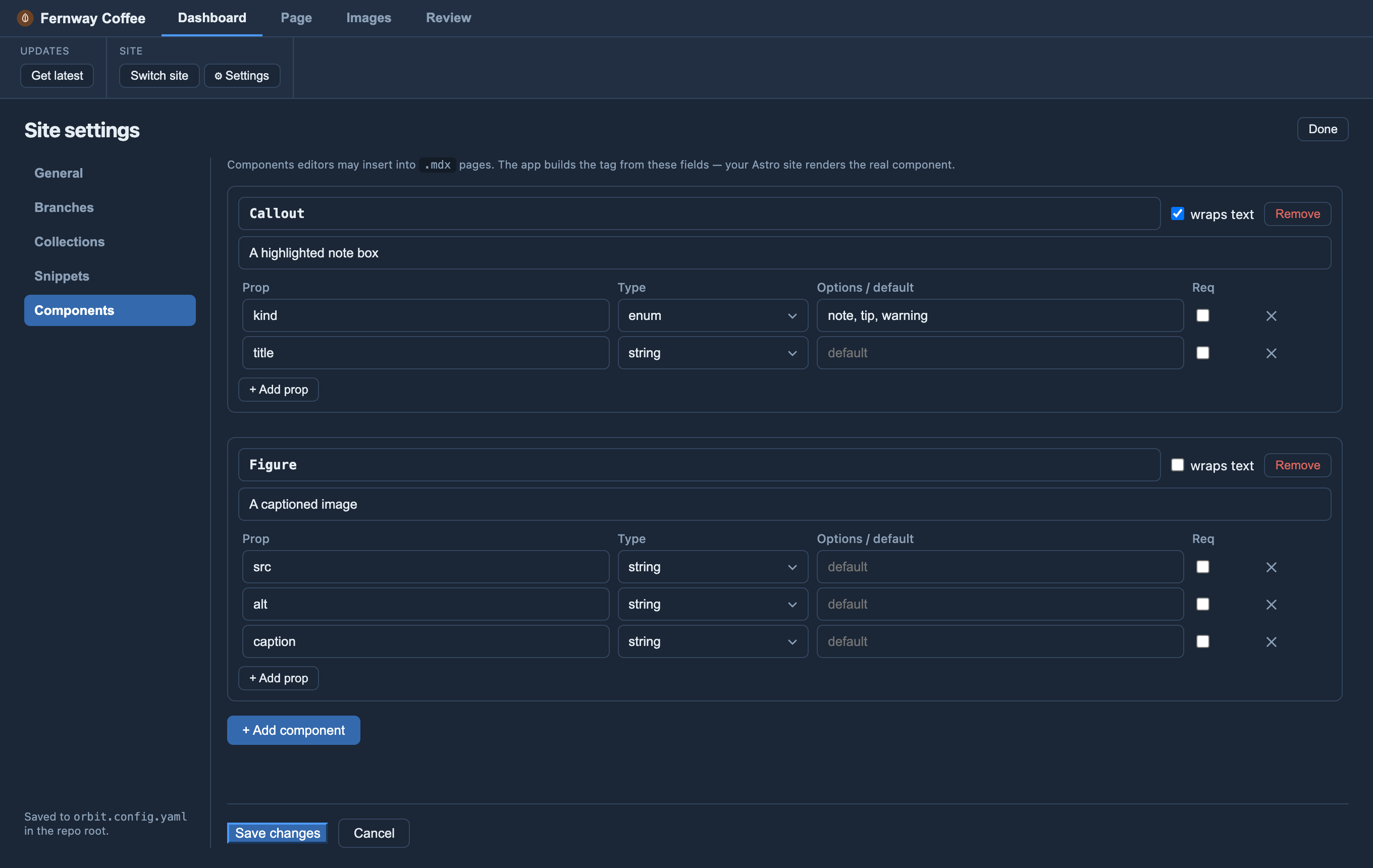
orbit.config.yaml. Every key below has a place there.Keys
| Key | What it does |
|---|---|
assetsDir |
Where images live; Orbit fetches this folder (default src/assets). |
site.title · site.favicon · site.defaultRole |
Chrome title, favicon override, and the UX role a fresh install adopts (editor | dev). |
site.previewUrl · site.liveUrl |
Optional addresses of your preview / live sites; add Preview ↗ and Live ↗ buttons to the Dashboard and Page tabs. |
branches.default · branches.allowed |
The testing branch a fresh clone opens on; branches the editor switcher may offer (empty = all). |
branches.live · branches.goLive |
Where Publish sends changes to (default main); how — in Orbit by an approver (default), or pullRequest to go through the git host’s review. |
snippets.compileOnSave |
Inline [[name]] snippets into the page on save — set true only if your site has no snippet loader. |
snippets.dir |
The snippets folder, from the site’s root. Default: snippets inside the content folder — src/content/snippets on Astro, snippets on any other site. |
sections |
The content map — for a site built with anything but Astro: where its pages are, what renders them, their fields. |
data[] |
Standalone JSON files (path + optional label) exposed as forms under a Data heading. Only listed files are editable. |
collections.<name> |
Per-collection canAdd / readOnly / bodyless overrides, addTo / noAddTo folder rules for new pages, newFolders to let editors start folders, and url — each page’s address on the site. |
components[] |
MDX components editors may insert (name, description, children, scalar props). |
Every key can be set in Settings (⚙) as well as by hand: General (site title, icon, assets folder, starting role, site addresses), Branches (default, editable, live branch and how Go live works), Collections, Data files, Snippets and Components. Saving in Settings changes only the settings you changed — your comments, blank lines, key order and layout stay exactly as you wrote them.
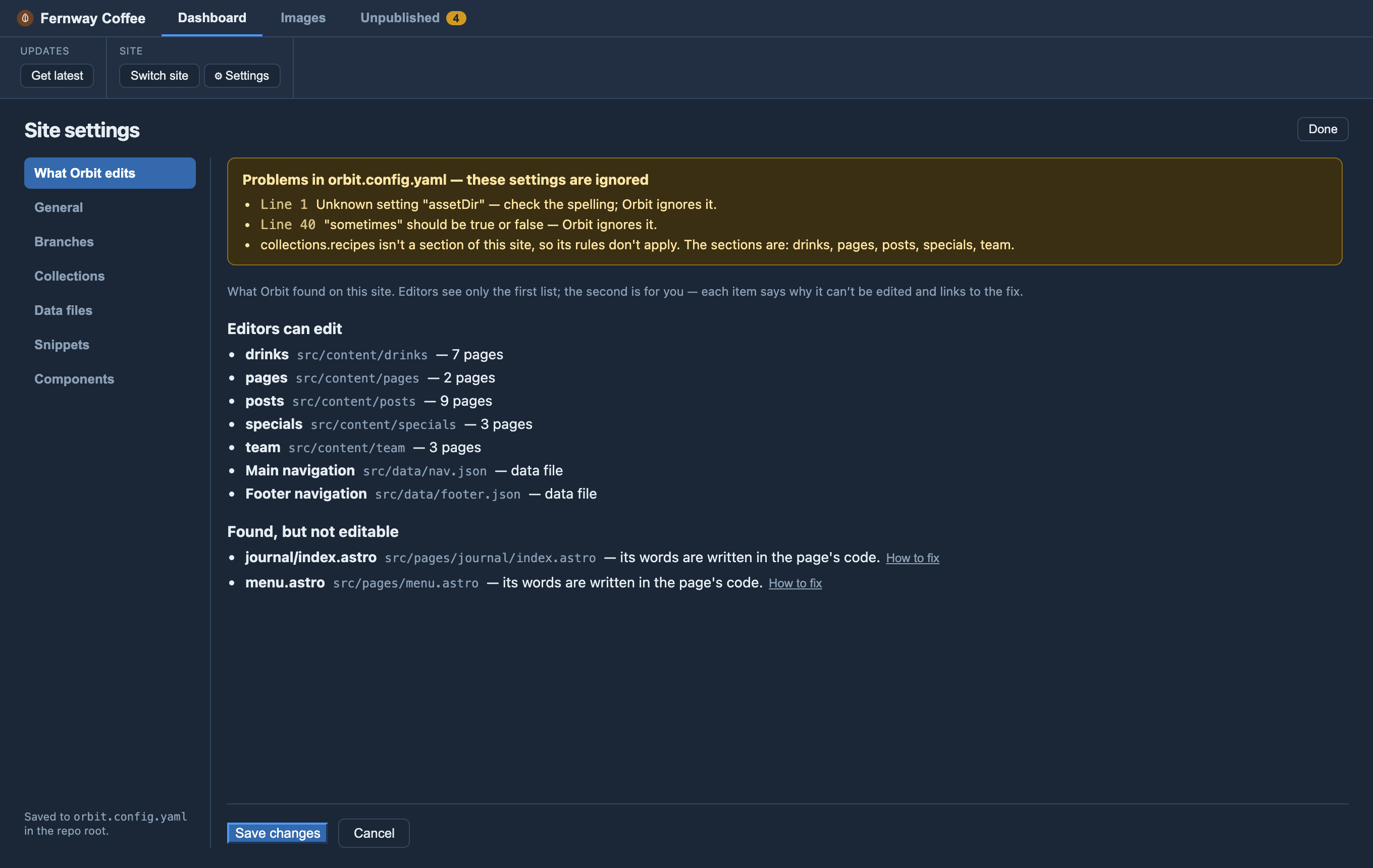
Orbit checks the file every time it reads it. A misspelt setting, a value Orbit
won’t act on (say defaultRole: admin), a component prop with an unknown type, or a
collections entry that isn’t one of your site’s sections is ignored and listed,
with its line number, at the top of Settings. If the file can’t be read at all —
for example, left with merge-conflict markers (<<<<<<<) after a git merge —
every section is locked read-only and editors see a banner saying a developer
needs to fix it. Settings won’t save over a file it can’t read, so a broken file
never quietly lifts your locks.
Notes
- Roles are UX only, not access control — real permissions stay in git and
your host.
defaultRolejust picks which surface a fresh install shows. collections.<name>— per-section rules (adding pages, folders, read-only, no body): see Collection rules.data:edits JSON and YAML — a.ts/.jsdata file should import the JSON and Orbit edits the JSON. See Editable data files.- Branches drive publishing. When
default(preview) andlivediffer, saving sends changes to the preview site and Publish takes them live; when they’re the same branch there’s no preview step and Publish goes straight live. Going live happens in Orbit by an approver (goLive: pullRequestsends it through the git host’s review instead). See Branches & publishing.
Favicon
Orbit shows your site’s favicon, looking (in order) for conventional files —
public/favicon.svg, .ico, .png, favicon-32.png, apple-touch-icon.png —
fetched on demand. For a non-standard path, set site.favicon above.