Editing content · Sections, pages & folders
Sub-folders
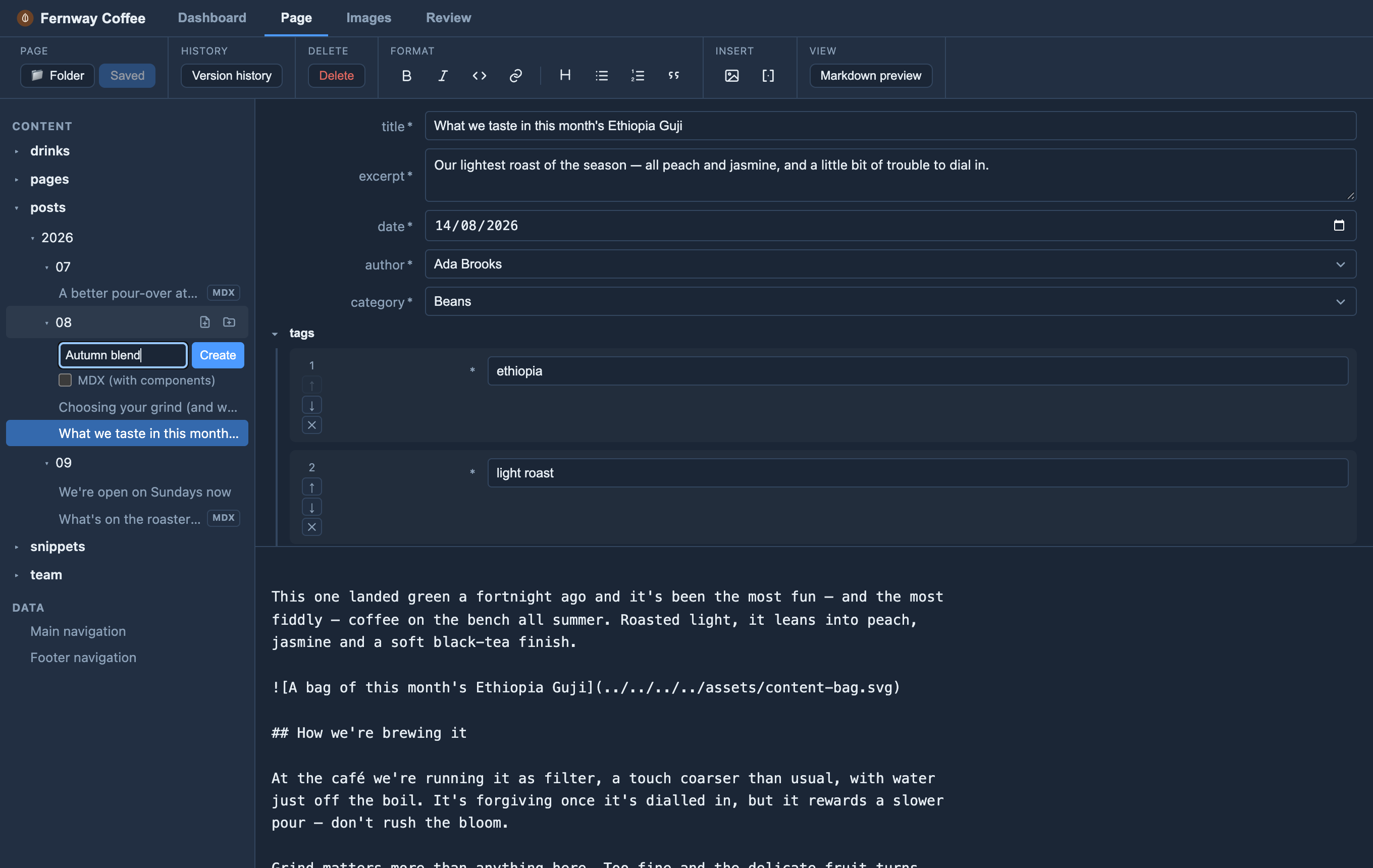
However you organise a section — by year, by section, by category — Orbit shows it the same way: the sidebar lists the section as a folder tree you can open and close, and the folder holding the page you’re editing opens by itself.
Hover a folder, or the section’s own row for its top level, and its icons
appear: new page (a page with a +), new folder (a folder with a +) and,
on a folder, delete (a bin).
Click the page icon, type a name, and press Create: the page is made right
there. Orbit only shows the page icon where your site will actually read the page
from, and gives it the right file type (.md or .mdx), so a new page never goes
missing after you save.
Editors add pages to folders that already exist. A developer can let editors
start new folders too, per section, with newFolders: true — the folder icon
then appears. It asks only for the folder’s name; the new folder shows in the
tree and Orbit goes straight to adding its first page (git keeps no empty
folders, so a folder is only saved along with a page in it).
It’s off by default because a new folder can break the site unless its code
is ready for it — see Letting editors create folders.
Developers can also limit which folders take new pages — see
Folders that don’t take new pages.