Accessibility tips
Orbit spots images with no description and headings that skip a level, so every page works for people using screen readers.
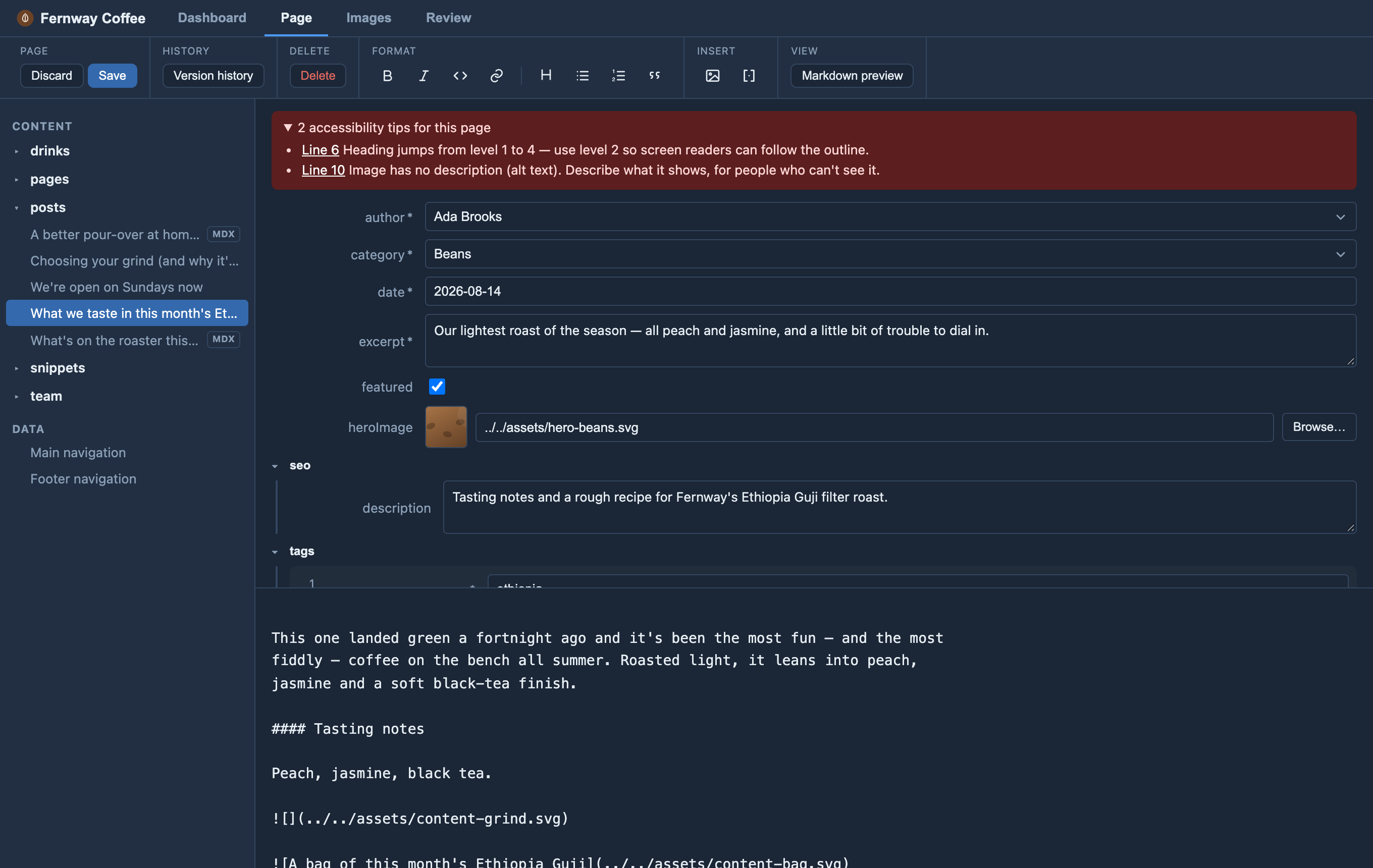
While you write, Orbit checks the page for two common slips: an image with no description (alt text) and a heading that skips a level — say, a main section heading straight to a sub-sub-heading. When it finds one, a red accessibility tips note appears above the page; click a tip to jump straight to the line.
Tips are advice, never a block — you can always save. And when you add an image, the cursor lands where its description goes, so describing it is the natural next step. See the editor form docs.