Editor & Developer modes
Editors get a clean, jargon-free surface; developers keep branch controls and settings — two views of the same app.
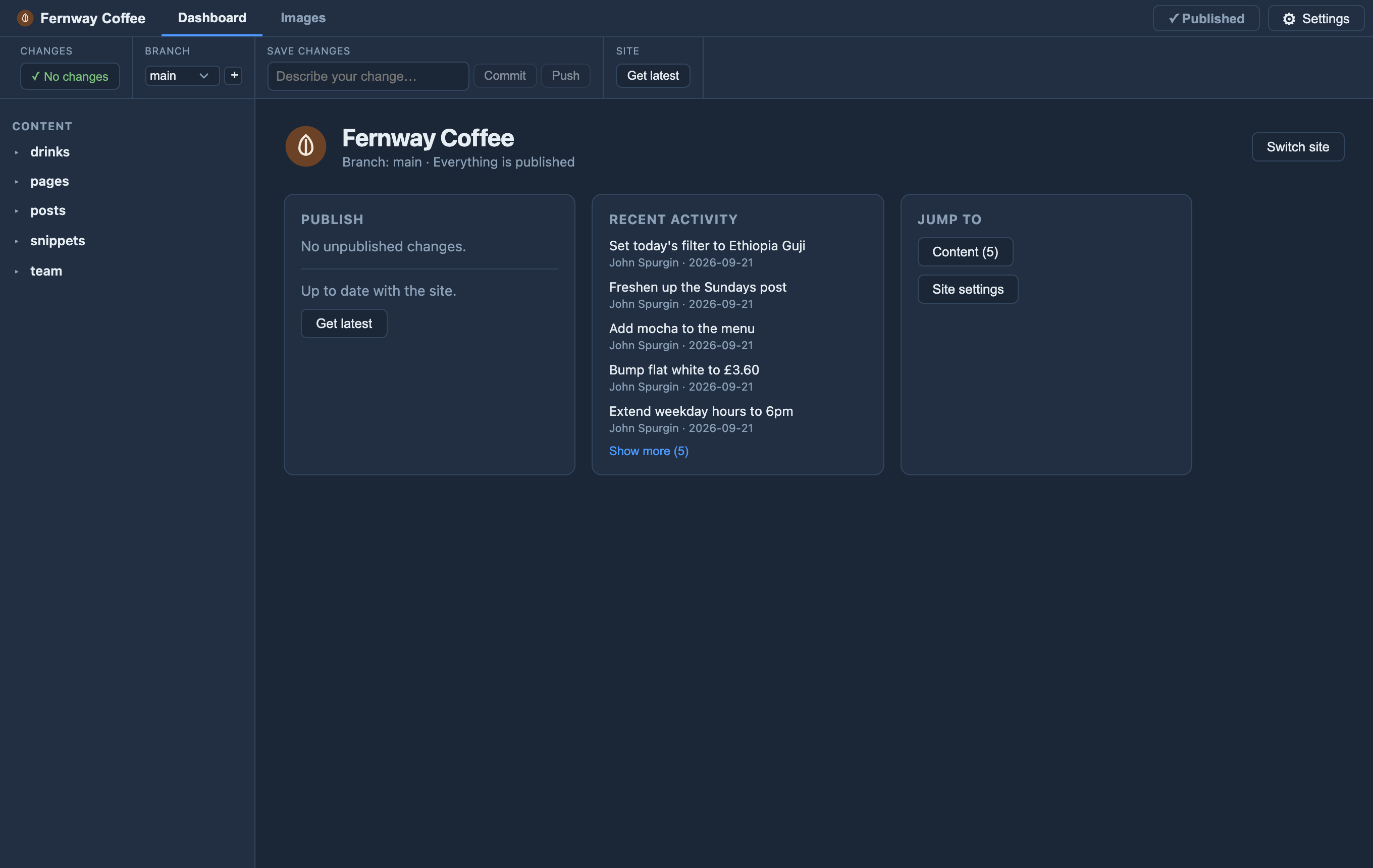
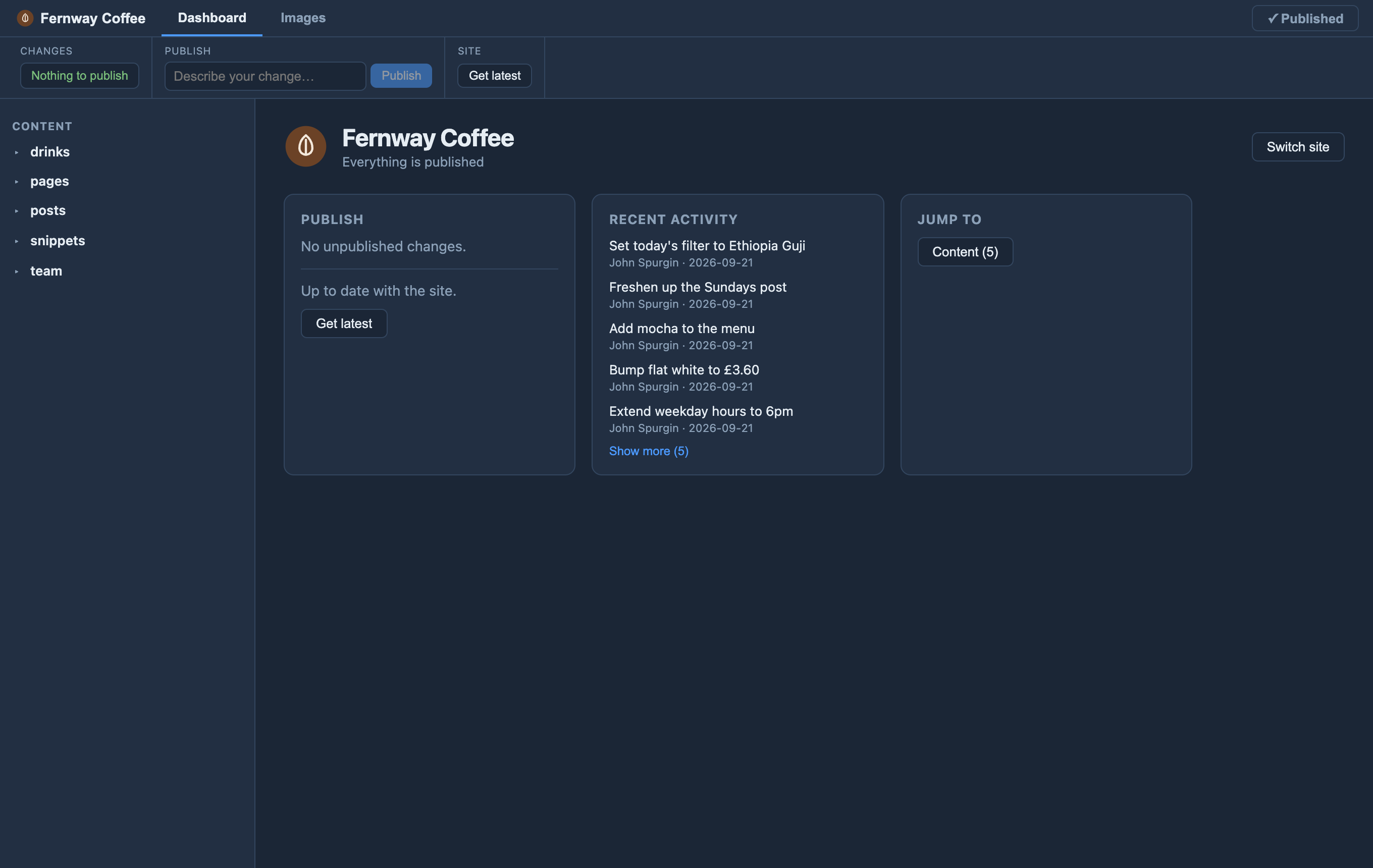
The same app shows the right surface to each person. Editors see just what they need — the content, add / edit / delete, and plain-language Publish and Get latest — with no branches, no git terms and no settings to break. Developers get the full picture: branch controls, site settings, the config and version history.
It’s about the interface, not access control — who can actually push stays with git and your host (belt-and-braces with a review branch). Switch modes from the menu, and a site can open editors straight into Editor mode.