Markdown preview
Turn on the preview pane to see your writing formatted beside the text — headings, links and images shown properly, and the components you use as labelled cards.
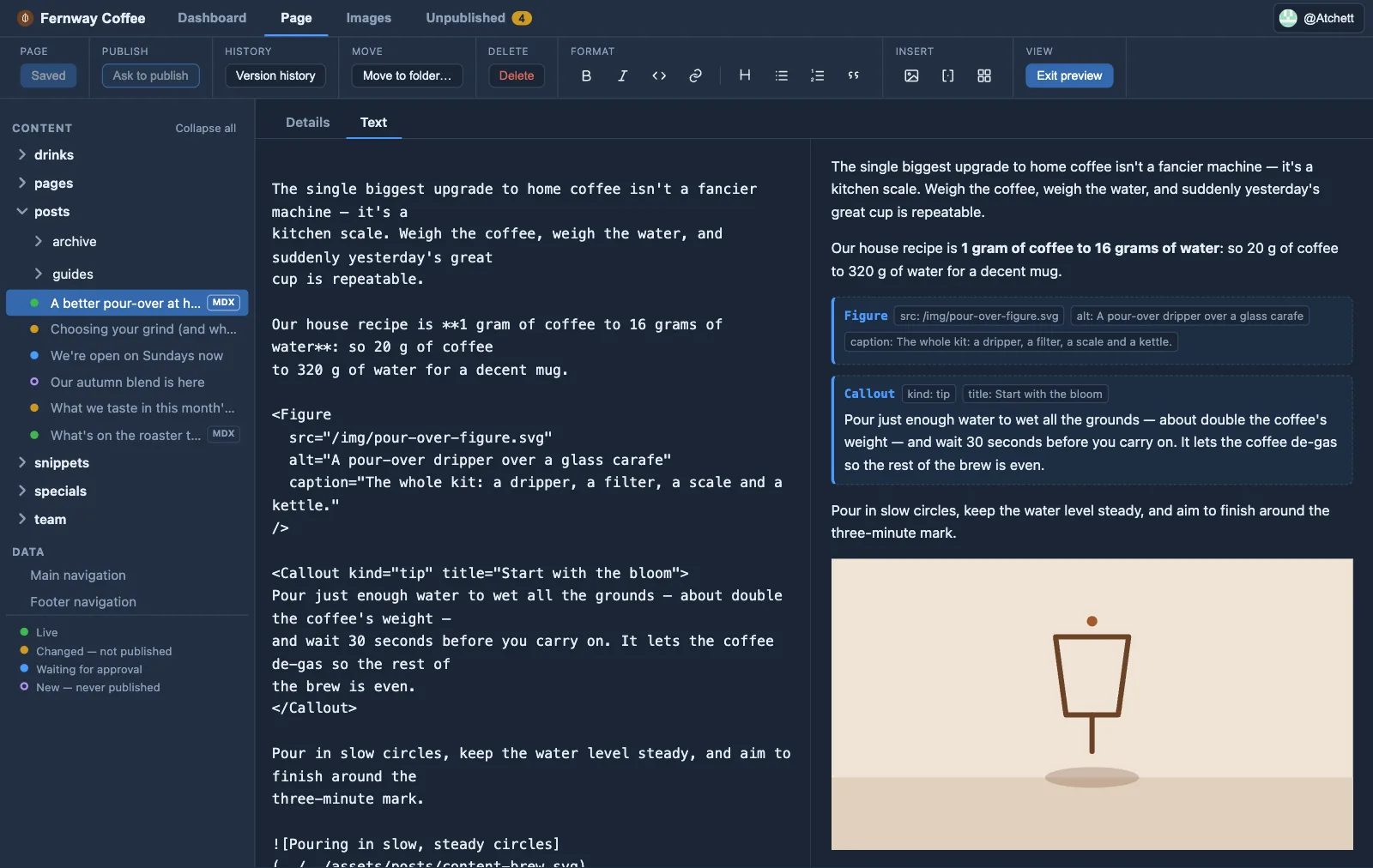
Your writing on the left, formatted on the right — components show as labelled cards
Click Markdown preview and Orbit shows your text formatted, next to the text you’re editing: headings, bold, lists and links as they read, your images loaded, and the components your site declares shown as clear labelled cards where they’ll go. It updates as you type.
It’s a quick check that the writing reads right — not your site. It doesn’t use your site’s design, fonts or layout, and components appear as cards rather than the real thing (your site builds that). To see a page exactly as visitors will, open it on your preview site — Orbit’s Preview ↗ button takes you there. Turn the pane off when you just want to write.